Wednesday, July 22, 2015

Integrative Model

Integrative Model

The steps in the integrative model are:
1. Describe, compare, and search for patterns.
2. Explain similarities and differences.
3. Hypothesize outcomes for different conditions.
4. Generalize to form broad relationships.


Lesson One -- Amphibians vs Reptiles

1. Describe, compare, and search for patterns. - The teacher will show students Bill Nye's Reptiles and Bill Nye's Amphibians.  Students will take notes onto gliffy using an iPad.
2. Explain similarities and differences. - Students will create a large venn diagram on PowerPoint to write down the similarities and differences.
3. Hypothesize outcomes for different conditions. - The teacher creates "what if" scenarios on what type of animal would live in a certain environment.  The teacher displays a background and students must discuss what type of animal would best live in it, amphibian or reptile.
4. Generalize to form broad relationships. - Students will blog on the similarities between reptiles and amphibians.

Lesson Two -- Pioneer Life & Modern Life

1. Describe, compare, and search for patterns. - The teacher and students will read a journal about a pioneers life and someone currently living.  The teacher will guide students to describe, compare and find patterns in the text using a four square graphic organizer.
2. Explain similarities and differences. - Students will use the graphic organizer to create a podcast story on how pioneer life and modern life were similar and different.
3. Hypothesize outcomes for different conditions. - The teacher will play student podcasts and ask a scenario question after each presentation.  
4. Generalize to form broad relationships. - Students will get into groups and make conclusions using google docs

Lesson Three -- Creating a Diverse Classroom Community

1. Describe, compare, and search for patterns. - The teacher will show videos of people from different cultures getting along with each other.  As a class, after each video lesson, the class will use the SmartBoard to describe the culture, compare it to others, and find patterns of other people getting along with others not from their culture.
2. Explain similarities and differences. - Students will use the organizer to paint a picture of similarities and differences between their culture and the ones in the video. 
3. Hypothesize outcomes for different conditions. - The teacher will discuss scenarios in which other people from different cultures didn't get along well.  The students would discuss as a class how to help others of differences get along better.
4. Generalize to form broad relationships. - Students will take a photo of their painting and upload it to their blog.  On their blog, they will generalize a paragraph of the lesson on what makes a thriving classroom community of diverse students, in which all are welcomed and accepted.

Wednesday, July 8, 2015

Inductive Model

Inductive Model

The steps to the Inductive model are:
1. Lesson Introduction
2. Divergent Phase
3. Convergent Phase
4. Closure
5. Application


Lesson One - Igneous Rocks

1. Lesson Introduction - In this lesson we will discover what igneous rocks are through open ended questions that engage students to discover through example and non-examples.
2. Divergent Phase - In this section, the teacher will use PowerPoint to show examples and non examples of igneous rocks.  The teacher will engage students in questions that direct them to see the color, shape, and texture of the rocks.
3. Convergent Phase - The teacher provides rock examples to further the learning.
4. Closure -Students will demonstrate what they know by creating a prezi.
5. Application - The teacher will have students dig through a box of rocks to find the igneous rocks.

Lesson Two - Characteristics of a Community Leader

1. Lesson Introduction - In this lesson we will discover what decisions distinguish good and bad characteristics within various world leaders.
2. Divergent Phase - The teacher will display on the SmartBoard certain photos throughout time of noble acts and kid friendly photos of non-noble acts to get students engaged in discussion.  These pictures will be of leaders who helped others and those who didn't.
3. Convergent Phase - In this phase, the teacher will have certain websites for kids to explore about popular leaders and unpopular leaders.  Such as Gandhi who is a leader vs. Genghis Khan who isn't.
4. Closure - Students will blog about their experience and thoughts on the subject of what makes a good leader.
5. Application - The teacher will have students create a world leader job description. They will put the characteristics and qualities that make a good leader. This can be done on Microsoft Word or Paint.

Lesson Three - Cyber Bullying

1. Lesson Introduction - In this lesson we will discover what type of online interaction could be deemed as Cyber Bullying..
2. Divergent Phase - The teacher will show YouTube videos on Cyber Bullying.  The teacher will guide students through positive communication and bullying communication.  The class will discuss what they have seen.
3. Convergent Phase - In this phase students will pair together and interview other students in the school who have been bullied.  They will get positive examples where they were not bullied.  They will record them onto an iPad.
4. Closure - Students will blog about their reflection on the experience.
5. Application - The teacher will have students create a video on why cyber bullying is never acceptable behavior.

Monday, July 6, 2015

Problem Based Learning

Problem Based Learning


In problem based learning, students are using the knowledge that they have already gained to solve a real life scenario.

The steps in the problem based model are:
Step 1 – Introduce the problem
Step 2 – Develop a plan
Step 3 - Implement the plan
Step 4 - Evaluate

Lesson One -- Science


Step 1 – Introduce the problem: The teacher will show homes collapsing under an eroding hill.  The teacher will challenge students to work in groups to solve what is happening and how it can be fixed. The teacher will group students.
Step 2 – Develop a plan - The teacher will direct students to specific websites that show them erosion and ways to solve erosion problems.
Step 3 - Implement the plan - Students will create a plan to solve the erosion problem using google slides.
Step 4 - Evaluate - The teacher will have students blog on their experiences through the process of discovering how to solve the problem.  The teacher will create a google survey for students to assess their teammates and their own personal contribution.

Lesson Two -- Social Skills


Step 1 – Introduce the problem: The teacher will show a YouTube video of a child being bullied by other students.
Step 2 – Develop a plan - In groups, students will research ways that they can help the kid being bullied and stop bullying in their school.  They will use kid safe search sites.
Step 3 - Implement the plan - Students will create an informational video that encourages other students to not bully and how to stop being bullied.
Step 4 - Evaluate - The teacher will have students blog on their experiences through the process of discovering how to solve the problem.  The teacher will create a google survey for students to assess their teammates and their own personal contribution.

Lesson Three -- History/Social Skills


Step 1 – Introduce the problem: The teacher will show a history documentary of the troubles that Indians and Pioneers had once settling into Utah.
Step 2 – Develop a plan - In groups, students will research online documents with information to present on how Indians and Pioneers got along in the past.  Including significant figures in history that established peace. 
Step 3 - Implement the plan - Students will podcast a step-by-step guide to establishing peace between two groups of people that don't get along in the present time.
Step 4 - Evaluate - The teacher will have students podcast on their experiences through the process of discovering how to solve the problem.  The teacher will create a google survey for students to assess their teammates and their own personal contribution.

Inquiry Model

INQUIRY MODEL

Present the question
Create your hypothesis
Gather data
Assess your hypotheses by analyzing the data
Generalize findings
Analyze the process

The inquiry model is a question based model in which the students will research information on the question to find answers. In this model the questions are guiding the instruction and learning process. Students take control of their own learning.

Lesson One -- Science
Fourth grade science requires students to classify fossil types.

Present the question In this lesson I would present a question on fossils using a Safari Montage video.
Create your hypothesis:  Students would be placed into teams and sent to the computer lab.  In groups they will type their hypothesis on google documents.
Gather data: In UEN, in the pioneer library, we would look up Searchasauras,  In Searchasauras I would have students research fossils.
Assess your hypotheses by analyzing the data: Students would type information learned onto a google document.
Generalize findings: Students would use google slides to generalize what they've learned.
Analyze the process: Students will blog on their experience of discovering answers to the original question.


Lesson Two -- History 
Fourth grade history requires students to know Utah's State Symbols and what they represent.

Present the question - The teacher will present a G.R.A.S.P. scenario about Utah's Symbols which involves a, solve this situation, type question.
Create your hypothesis - Students will hypothesis the meanings of Utah's symbols.
Gather data - Using iPads, students will gather data on Symbols by looking through Utah's website.
Assess your hypotheses by analyzing the data - Students will analyze symbols and take notes.
Generalize findings - Students will create a Blog to generalize their findings on symbols.
Analyze the process - Students will present their findings to the class by explaining how they came up with answers to the original question.


Lesson Three -- Writing
Fourth grade writing requires students to know parts of speech in a sentence.

Present the question: The teacher will display a 7-up sentence without the parts of speech visible.  The teacher will ask students what parts of speech are presented in a sentence.
Create your hypothesis: Students will hypothesis what words form into certain parts of speech by typing them into a google survey.
Gather data: Students will visit safesearchkids.com to discover the new vocabulary words and how they form the part of speech in a sentence.
Assess your hypotheses by analyzing the data: Students will analyze parts of speech locations and the words that fit into each section.
Generalize findings Students will color code words into parts of speech.
Analyze the process Students will blog on how they came about with their answers as to what words formed what parts of speech in a sentence.


Wednesday, July 1, 2015

Cooperative Model

The cooperative model involves a lot of collaboration between students in groups.  While the Jigsaw model has always been my favorite cooperative model, I have chosen to only blog on the graffiti model, as I have used it the least and want to improve my knowledge and application of it. 

In the graffiti learning model, students are learning through a process of group interaction and discussion.  The steps in the graffiti learning model are:

Step One - Prepare Graffiti Questions
Step Two - Divide Students into Groups
Step Three - Explain the process to the groups
Step Four - Identify, Explain, and Practice Social Skill
Step Five - Distribute Materials
Step Six - Groups Answer Questions
Step Seven - Groups Process Responses to Questions
Step Eight - Share Information
Step Nine - Measure Group and Individual Accountability
Step Ten - Assess Learning.

Lesson One - Science

In this graffiti model lesson, students will answer questions on Utah's wetlands, deserts, and forests.  Students will mainly use google docs to answer questions.  The teacher will use google survey and PowerPoint.

Step One - Prepare Graffiti Questions: The teacher will enter the questions onto google docs using Ipads.
Step Two - Divide Students into Groups: The teacher will number students into groups.
Step Three - Explain the process to the groups: The teacher will use PowerPoint to explain the instructions.
Step Four - Identify, Explain, and Practice Social Skill: The teacher will use PowerPoint to display the social skill.
Step Five - Distribute Materials: The teacher will put the Ipads around the room with labels.
Step Six - Groups Answer Questions: Students will answer questions on iPads using google docs.
Step Seven - Groups Process Responses to Questions: Students will type up a summary on google docs.
Step Eight - Share Information: The class will have the iPad read the text out loud.
Step Nine - Measure Group and Individual Accountability: Students will take a google survey on how their teammates contributed.
Step Ten - Assess Learning: The teacher will read google docs and surveys to assess learning and grades.

Lesson Two - Social Studies

My second graffiti model is on social studies. This lesson is on what characteristics make a good Utah Citizen.  Students will use AnswerGarden and Kid Blog to answer questions.  The teacher will use PowerPoint, YouTube, ClassDojo, and Google Survey.

Step One - Prepare Graffiti Questions: The teacher will load AnswerGarden, online, on computer stations, to prepare questions on being a good Utah citizen.
Step Two - Divide Students into Groups: The teacher could have ClassDojo randomly assign students to groups.
Step Three - Explain the process to the groups: The teacher will use PowerPoint to explain instructions.
Step Four - Identify, Explain, and Practice Social Skill:  The teacher would show a YouTube video on being respectful to others ideas.
Step Five - Distribute Materials:  The teacher will demonstrate the distribution of materials by showing the correct way to answer questions in Answer Garden.
Step Six - Groups Answer Questions: Students will type in answers.
Step Seven - Groups Process Responses to Questions: Students will get together and create a one sentence summary on a student's blog.
Step Eight - Share Information: Students will present the blog response as a group to the class.
Step Nine - Measure Group and Individual Accountability: Students will use google survey to assess their peers.
Step Ten - Assess Learning: The teacher will assess blogs, Answer Garden, and google surveys.

Lesson Three - Math

In this lesson, students will discover ways in which angles are found in the world.  Students will be creating a video summary.  The teacher will use google survey, PowerPoint, Safari Montage, and Microsoft Excel.

Step One - Prepare Graffiti Questions: The teacher will questions to direct students understanding to the ways in which different angles can be found in real-life situations. The teacher will use large sticky note pads that stick to the wall.
Step Two - Divide Students into Groups: The teacher will use Excel to distribute students into groups and display groups on the SmartBoard.
Step Three - Explain the process to the groups: The teacher will use PowerPoint to give students instruction on the lesson.
Step Four - Identify, Explain, and Practice Social Skill: The teacher will show a video on Safari Montage that teaches respectful listening.
Step Five - Distribute Materials: The teacher will pass out markers to each group.
Step Six - Groups Answer Questions: Students will rotate around the room.
Step Seven - Groups Process Responses to Questions: Students will create a video using Ipads to summarize their learning.
Step Eight - Share Information: Students will upload the video to Kid Blog or to a class YouTube site to share.
Step Nine - Measure Group and Individual Accountability: Students will take a google survey on their teammates participation.
Step Ten - Assess Learning. The teacher will evaluate student videos, posters, and surveys.

Lesson Four - Just for fun, a quick jigsaw idea:

The thought came to me that an iPad would be an excellent technology tool for this model.  As students are placed into groups, the iPad could be the navigator for their learning.  As they become experts in a subject, they will be able to use the iPads to present information and direct discussion.  There are numerous apps and online programs for learning and presenting available on an iPad.

Monday, June 22, 2015

Concept Attainment

In concept attainment, students are looking at examples of words or pictures and categorizing them into groups.  This is a more specific categorizing of what things are and what things aren't.  In such cases, students will learn what choices follow school rules and what choices do not.  It could include simple attainment ideas as living vs non living things.  

The teacher will display the examples to students.  Students will hypothesize which category to place objects in.  The teacher will explain the categories.  

Possible Lesson Plan Ideas:

#1 Amphibians Vs. Reptiles.  In my first lesson I want students to create a PowerPoint of the characteristics of amphibians vs reptiles.  In a PowerPoint graphic organizer students will create a list of characteristics and animals after going over them on the SmartBoard with the teacher.

#2 Classroom DOJO.  This school year I was inspired to use Classroom DOJO as a management system.  At the beginning of the year our class will go over what actions describe positive behavior and the opposite of these behaviors.  As a class we can decide together on these behaviors and create a list together on the positive behaviors and need work behaviors.  

#3 I have been looking for a good reason to integrate Microsoft Excel into a lesson to teach students how to use this software.  This would be an excellent tool for getting kids to list the characteristics of what makes a good Utah Citizen, versus what doesn't make a good Utah Citizen.  It also teaches them the basics of creating an Excel sheet.

Concept Development Model

In this model students are grouping concepts and ideas to understand the relationship that they hold. This model has certain advantages over other models when it comes to putting groups of words together.

Steps:
1. Listing 
2. Grouping
3. Labeling
4. Regroup
5. Synthesizing

Lesson #1 - Shapes and Angles

1. Listing - In this lesson I would have students use PowerPoint to have students create all the different types of geometric shapes on the program.
2. Grouping - Students will sort the shapes according to similarities.  They will separate them onto different PowerPoint slides.
3. Create a label for the groups - Students will title the slides according to the reasons they grouped them.
4. Regroup - After a discussion on angles, students will regroup the shapes. 
5. Synthesizing - Students will type a sentence to summarize why they've sorted them into these groups.

Lesson #2 Greek and Latin Roots

1. Listing - The teacher will present a list of words that have greek and latin roots.  Students will use Padlet to type in the words.
2. Grouping - Students will group words according to the patterns they see.
3. Labeling - Students will type up a label for what they think the words could mean.
4. Regroup - After a discussion about roots, students will organize them according to the Greek or Latin roots.
5. Synthesizing - Students will type a summary on why they've regrouped the words and how the roots affect the word.

Lesson # 3 Science

1. Listing - The teacher will introduce the subject of fossils.  Students will use the gliffy website to write down as many words as they know.
2. Grouping - Students will organize the word bubbles into groups.
3. Labeling - Students will label the groups of words and connect them together.
4. Regroup - After a discussion on fossils, the students will regroup them according to fossil types, time periods, and animals.
5. Synthesizing - The students will type a summary and connect the bubbles together through connecting lines.

Saturday, June 20, 2015

Vocabulary Acquisition Model Blog

The Steps in the Vocabulary Acquisition Model are:
1. Pretest knowledge of Words Critical to Content
2. Elaborate on and Discuss Invented Spellings and Hypothesized Meanings
3. Explore Patterns of Meanings
4. Read and Study
5. Evaluate and Post test

Idea #1
Language Arts, Imagine It Story

1. Pretest knowledge of Words Critical to Content - A PowerPoint would be displayed on the SmartBoard to introduce students to words.  The PowerPoint would include a visual image to help differentiated learners attempt to spell and define the word.
2. Elaborate on and Discuss Invented Spellings and Hypothesized Meanings - Students will have a whole group discussion.
3. Explore Patterns of Meanings - On the SmartBoard words would be organized according to their greek or latin roots.  The teacher and students would move these word patterns to help understand the meaning of the word.
4. Read and Study - Students will read from their Imagine It Books the Warm-Up-Vocabulary story with the newly learned vocabulary words.
5. Evaluate and Post test - Students will create their own greek/latin root vocabulary word presentations on PowerPoint.

Idea #2
Science

1. Pretest knowledge of Words Critical to Content - Before presenting a science unit, the teacher will need to present new vocabulary.  The pre-test would start with a fun pre-test game on Kahoot using iPads. 
2. Elaborate on and Discuss Invented Spellings and Hypothesized Meanings - The students will have a whole group discussion with the teacher on what the words could mean.
3. Explore Patterns of Meanings - The teacher will display an illustration online of the water cycle and point out the vocabulary words, afterwards, the teacher will direct students to online illustrations in which the vocabulary words are displayed. For example: The teacher will have students explore a water cycle illustration to see how the vocabulary words are being displayed. 
4. Read and Study - In this case, I would use my flipped classroom design that I created on Canvas to teach students the science vocabulary words.
5. Evaluate and Post test - Students would use the flipped classroom G.R.A.S.P. assignment to complete their activity.  

Idea #3
Math

1. Pretest knowledge of Words Critical to Content - Vocabulary words would be introduced through a YouTube video on the actual math subject.
2. Elaborate on and Discuss Invented Spellings and Hypothesized Meanings - The students would use Answer Garden on iPads to discuss what they think the word means.
3. Explore Patterns of Meanings - The teacher will show the YouTube video of the math concept to the class so they can see the words used in a math problem.
4. Read and Study - Students would receive math problems with the vocabulary words in them.
5. Evaluate and Post test - The teacher would prepare a quiz using the classroom clickers that uses the specific vocabulary wording.

Monday, June 8, 2015

Initial Course Goals

This school year it is my goal to integrate simple and meaningful changes into the way I teach and manage my classroom.  It is my goal this school year to become a proficient educational designer.  I want to do more than just be the average school teacher; I want to be an artist of educational design. 

Goal #1 -- To change my classroom management system into a thriving positive student centered environment.

Goal #2 -- To create assessments using technological tools and components.

Goal #3 -- To integrate auditory readings into my language arts program.

Goal #4 --To integrate school district technological tools into math and language arts program.

At the end of my school year, I want my students to feel that their experience was positive and tech driven by as many as possible tools that are available.  I also want to use these tools as ways to prepare students for end of year exams.  

Wednesday, April 22, 2015

Blog #10 The Why's and How's of Technology.

How will you acquire technology for your classroom?
There are several ways to acquire technology for the classroom (although most are not easy and few are guaranteed)
  • Beg your principal to give you funding from specialized school funds
  • The schools Textnology funding.  A funding dedicated to text books and technology acquisition given from the school district.
  • Use your federal funding for the school year
  • Submit and apply for Grants and Donations
    • Donors Choose
    • Honda Grants
    • Toyota Grants
    • Government Grants
    • Private Grants from various companies
    • many other sources
  • Pay for technology out of your own pocket (some of which can be claimable on taxes)
  • Take specific educational courses that provide for you certain technological tools after completion.

How does the use of technology impact your classroom management strategies?
Just like anything in elementary school, management comes first.  Technology require management in many ways.  The first type of management requires safety.  It is necessary to teach how to safely use the equipment, navigate the equipment, and shut off the equipment.  Therefore, specific consequences and rewards are given to students with technology.  Sometimes technology is used as a reward for students.  If students have behaved very well and finished assignments I will allow them free time on certain educational websites that are interesting to students.  Of course, kids love these websites because they educational games.  I don't blame them, I love games too.  I have to give students specific cues and prompts to get them to stop using technology.  I guess you can say, technology requires its own specific sets of management that fits the particular set of equipment or situation.  
Why use technology if you always need a backup plan?
Well, why go to school if you could get into a car crash on the way to school and die?  Why date someone if you know your heart can get broken?  Why brush your teeth if they are just going to get dirty again?  Why make friends when your friends can hurt your feelings?  Why not use technology even if you need a back up plan. Is technology not beneficial?  We all know that technology is very beneficial and can be used to improve students academic success.  We all know technology drives the industries and humanity to experience a better state of existence.  Technology is important and necessary for civilization.  Thank God we are coming out of the Middle Ages.  It's a silly question, but a purposeful one.  Many people refuse to use technology because they are afraid it will break down on them.  Thus is life, everything has a cycle and a season and while technology isn't always reliable, its vital, helpful, and important.  Deal with it. :) 

A Reflection on Grants

1.        In searching for a grant, several factors need to be considered.  Let me further explain this by comparing searching for a grant to searching for a romantic partner.  When you sign up online for a dating website, you must consider that not everyone will want to be with you.  Each online candidate has specific desires and agendas as to what they prefer.  Potential grant givers are similar to this.  Grant sites are not abundant givers, they too are searching for just that special someone who can add to their agendas.  Grant givers want to know that what they are giving will have a return of benefit.  In other words, does your grant support me, my goal, my vision, and my dreams?  Will your grant add to the overall view of my corporation or self?  Similarly, a potential partner may think the same.  Therefore, the grant I write, or the person I am, must fall into vision and appeal to the potential gift giver.
To further this analogy, correct timing plays a vital role into both roles.  Grant givers have deadlines, commitments, and expectations to reach.  A potential soul mate is the same.  To be effective in both dating and grant writing you must have excellent communication and timing.  Most respectable people should expect reasonable execution of timing towards responding to and providing sufficient evidence of how one will benefit them.  Grant givers may be a little stricter in deadlines and have no lenience in late communication.  As all individuals are on trial during the dating period, a grant proposal is also on trial.  Bad profiles may need to be re-written to appeal to the potential date as a bad proposal may need to be re-written to appeal to the grant gift giver.  Grant givers, like any potential companion want to know that you will be grateful for their time, efforts, and offerings.  An expression of gratitude will go a long way to making the grant giver feel good, just as a flower may make your date feel special.  The more one puts effort into reaching out in gratitude, the greater one will look to the giver.  Attitude is everything, in all situations.  If at first you don’t succeed, try, try, and try again.  Oh, and don’t go psycho if you’re rejected, no grant company likes a stalker either.  
Therefore, we can see that grant givers look for the same things as potential partners.  They seek a person whose goals and visions line up to theirs.  They are looking for someone whose financial needs are similar and within range.  A strong commitment to communication, deadlines, and timelines are strong factors.  Thus, the presenter must present themselves as favorable, available, and grateful.  We could all learn a lot about relationships from grant writing.  There is never a reason to take advantage of the gifts we are given and if we don’t try to reach out, there will be no benefit.  Love is within reach and so is thousands of dollars.

2.         I believe I have always had confidence to do whatever I wanted.  Why think anything less than this?  I can do anything I put my mind up to and this beautiful Universe will support me in the good that I do for myself and others.  That is what I believe, anyways.  What this assignment did was get me to search for potential funding sources.  As I was only aware of one source, I realized that there are many sources and like dating, you've got to try and put effort into applying to gain the benefits.  All things in life require work and effort to improve.  This is a simple answer, yes, both confidence and encouragement have improved to seek for grants.  I have learned many new things, such as how to find potential sources and that they are like dating sites.  They all are looking for something different and specific.  The impact is that I feel more aware of what’s available. I feel like I have more power to get the things that I need that the school won’t fund for me.  I’d likely go for smaller items on Donors Choose.


3.         While I haven’t had the desire to write up a grant, I wouldn't be opposed to it now.  Will I take this grant into action, the honest answer is no.  I believe that my grant is quite expensive and while IPad's would be an excellent tool for my students, I believe I will start smaller.  There is an abundance of technology resources available on the computer that I am just learning to implement.   Therefore my direction as of now is to get technology tools that are free and available first and learn how to implement them effectively into my teaching. I also want to increase my ability to use green screening in my school.  I will add that if my school doesn't invest next year in a good camera and tripod stand, I’ll write a grant for that.  

Wednesday, April 1, 2015

Blog #9 Backwards Design

How does the combined backward design and technology-rich focus impact your unit design?

This question can be viewed from two angles, a professional and person view.  I will answer this from the professional view first.

Professional View: The backwards design allows me to see the whole picture of my unit in an organized way.  This is helpful to an unorganized teacher.  The backwards design allows me to understand my objectives and essential questions better.  Essentially, I know what my students will do to show understanding of the objective.  This means I create assessments that accurately display what my students must know by the end of the unit.  Backwards design allows me to scaffold lessons so the unit can come together step-by-step for students and the teacher.  

The technology integration is easier with a unit design.  If my goal is to integrate a specific tool, such as PowerPoint into my lessons, backwards design helps me also scaffold their learning through this creative tool.  Designing the unit, with technology, gives me ideas on how to prepare lessons and technology materials before teaching, which saves on valuable time.  Lastly, a technology assessment that doesn't involve multiple choice questions is a disruptive tool to knowing what my students know.  I like using interactive, real-life scenarios, with technology for students to demonstrate an understanding of the concepts.  Students love it too.

Personal View: Sometimes, I think I am writing scripts when I backwards design.  This helps me stay organized and have an overall view of what I want to accomplish.  However, I tend to get frustrated by following scripts as my creativity is always running wild and the lessons aren't always simple.  The thing is, if my students aren't understanding a concept, then I have to re-teach in a different way.  Therefore, I tend to stick with teaching by the ways I know my students have been successful.  Why I like the backwards design with technology integration, I know I need to be flexible with my lessons.

Blog # 9 Unit Design

How does the combined backward design and technology-rich focus impact your unit design?

This question can be viewed from two angles, a professional and person view.  I will answer this from the professional view first.

Professional View: The backwards design allows me to see the whole picture of my unit in an organized way.  This is helpful to an unorganized teacher.  The backwards design allows me to understand my objectives and essential questions better.  Essentially, I know what my students will do to show understanding of the objective.  This means I create assessments that accurately display what my students must know by the end of the unit.  Backwards design allows me to scaffold lessons so the unit can come together step-by-step for students and the teacher.  

The technology integration is easier with a unit design.  If my goal is to integrate a specific tool, such as PowerPoint into my lessons, backwards design helps me also scaffold their learning through this creative tool.  Designing the unit, with technology, gives me ideas on how to prepare lessons and technology materials before teaching, which saves on valuable time.  Lastly, a technology assessment that doesn't involve multiple choice questions is a disruptive tool to knowing what my students know.  I like using interactive, real-life scenarios, with technology for students to demonstrate an understanding of the concepts.  Students love it too.

Personal View: Sometimes, I think I am writing scripts when I backwards design.  This helps me stay organized and have an overall view of what I want to accomplish.  However, I tend to get frustrated by following scripts as my creativity is always running wild and the lessons aren't always simple.  The thing is, if my students aren't understanding a concept, then I have to re-teach in a different way.  Therefore, I tend to stick with teaching by the ways I know my students have been successful.  Why I like the backwards design with technology integration, I know I need to be flexible with my lessons.


Sunday, March 15, 2015

Blog #8

What technologies are available to facilitate general pedagogy?
Discovering the types of technology to facilitate while teaching greatly varies.  As a teacher looks at their scope and sequence they will need to understand the essential questions they are developing and the overall global objective.
"A major part of the problem related to technology integration is that most educators have not addressed the pedagogical principles that will guide their use of technology for teaching and learning. The intricate relationship between technology and pedagogy has not been adequately explored. As teachers explore the process of technology integration and search for ways that it can be effectively accomplished, they will develop the rationale to examine the appropriateness of the technologies they are using and whether such technologies are compatible with their lesson plan and learning outcomes. The process of exploring the relationship between technology in education and pedagogy will encourage critical thinking on the part of teachers as they practice technology integration." - Charles V. Schwab
Attained online: http://scholar.lib.vt.edu/ejournals/JOTS/v32/v32n2/okojie.html
The major technologies becoming more available to teachers, however, slowly, in my class, are listed below...
  • Document Camera
  • SMART Board technologies and tools
  • PowerPoint
  • Film-making technologies
  • Blogging
  • Microsoft Word
  • Neo Smart Systems
  • 2Know It Clicker systems
  • Ipods (if I had access to them)
  • Ipad
These technologies are usable in a variety of ways to deliver important knowledge and information to my students. 


What content-specific technologies are available to promote better understanding and engagement?
In this section of my blog, I am going to need to do some research myself.  The problem with this section, to me, is that I don't have a content specific technology in my classroom because neither I nor my school has the money to get these resources.  Here's the catch, students are assessed on ancient devices and not the actual updated technological devices. Kids are shown a barometer during the times of Benjamin Franklin's era and asked to use it to measure air pressure, give me a break.  Barometers are digital now and can instantly read air pressure with the click of a button. 
If I could pick three technologies for my specific content, I'd get an electronic barometer for students to use outside to measure air pressure daily.  They could graph the pressure and discuss the weather. This tool would work well for science.
The second instrument I would get would be a GPS unit in which students could map out the latitude and longitude of where they are.  This tool would work well for History.
The third content specific tool I would like is a calculator set!  It seems basic, but seriously, I don't have calculators in my classroom.  Whenever we have activities for checking addition and subtraction problems, I have to borrow a set.  

Monday, March 2, 2015

Blog # 7 Assessments

How can technology be used for presentation of content and assessment of learning?
The options for using technology in assessment of content is not limited to the following list created by Dr. Cox and crew...
  • Digital presentations
  • Interactive whiteboard apps
  • Info-graphics
  • Podcasts
  • Websites
  • ebooks
  • kindles
  • Ipads
  • Ipods
  • Film-making
The possibility to assess through technology is a disruptive tool to the classroom.  Depending on the subject, certain material (say for example story-retells) can be assessed through various tools as digital presentation, podcast, and Smart board tools.  If, for example, my students were to create a digital story re-tell of the class book, I could assess their understanding of the story through their own re-tell.  

How can you implement project-based, authentic, technology-based assessment and still prepare students for standardized testing?
I'm going to steer away from the traditional, educational response on this question because I want to speak from a place of experience and heart.  My students are overworked, over tested, and then given a score that can only build or burn their esteem.  The average scores on these exams district wide are in the forty to sixty percent range.  Therefore, in my opinion, an inaccurate assessment of knowledge.  The systems they use to test are all based on language acquisition and required to be proficient, therefore my ELL and special education students are continuously reassured they are not successful individuals at school.  I will give my students about thirty hours of required district and state assessments.  My students hear the word assessment or test and their hearts pound in distress or for the few who were built to succeed in this environment, theirs is a minority, but they are happy.  I talk to each parent and each child and tell them, your child scored fifty percent on a district exam, but in all actuality they are right in the mean score district wide.  The parents confusion and the child's disappointment may rise when they realize that the test which told them they failed, but is that failure merited, perhaps failure is feedback of bad study habits, exam, or both. Yet, I believe my kids are successful and capable.  And while, in retrospect, I appreciate the data and direction assessments can take my teaching and my class, just not at the expense of the well-being that is so often dashed on the dicing boards of politics.  
Thus, this year I have taken initiative to disrupt my science exams by making them PowerPoint projects.  My students know the material better this year as they create slide shows using actual pictures and words presented in their own unique slideshows.  My students thrive at this activity.  With a rubric by their side, they are free to explore the limits of PowerPoint in an unlimited way so long as the requirements are met.  I haven't seen students excited to take an assessment until now.  They learn, they grow, they thrive. 

Wednesday, February 25, 2015

Blog # 6

What state and national standards should be considered in your scope and sequence? 
I think the simple answer is, all of them that are applicable, beneficial, and required.  There are two particular sets of technology standards in education to pay particular attention to.  The first set of standards is the ISTE standards. (see link below):
ISTE teacher standards The link to this website for teachers gives six standards by which technology is properly integrated into standards.  The following standards are:
1. Creativity and innovation
2. Communication and collaboration
3. Research and information fluency
4. Critical thinking, problem solving, and decision making
5. Digital Citizenship
6. Technology operations and concepts
The second set of standards are the Educational Technology Core by UEN.
Utah Educational Network has a technology core for various grade levels.  In third through fifth grade technology core, ten standards are required for integrating into the scope and sequencing of lessons. 
These standards are similar (see chart below):
ISTE S and UETS Comparison
Grade Level: 3-5
ISTE*S Standard
Compatible UETS
  1. Creativity and innovation
5, 4, 9
  1. Communication and collaboration
7, 2, 5, 6, 9
  1. Research and information fluency
4, 6, 9, 10
  1. Critical thinking, problem solving, and decision making
8, 2, 4, 7, 9, 10
  1. Digital citizenship
3, 7, 2
  1. Technology operations and concepts
1, 2, 9
  
How will you model digital ethics and responsibility, and how will those skills be incorporated into your scope and sequence? 
According to Zurr Institute, the digital ethics definition is:
"Digital Ethics is the study of how to manage oneself ethically, professionally and in a clinically sound manner via online and digital mediums."
Elementary children have little to no foundation in digital ethics.  It is not always taught at home either.  A teacher must consider the necessity and time for teaching ethics before involving students in digital media.  
Certain online resources are available for parents and teachers to teach digital ethics.  Certain apps are available as well.  

Wednesday, February 18, 2015

Blog #5 Scope and Sequence

How can technology be woven throughout the scope and sequence of a course?
Technology is the new opportunity in Education for a frontier of a enhanced learning experience.  Before the school year begins, this opportunity can become reality with the proper scope and sequencing of the content and curriculum. Determining, how can technology be effectively integrated into content to help students master standards. 
What is scope?  Scope can be defined as the required national and state curriculum to be taught in our classrooms.
What is sequence?  Sequence is the order in which the content is taught. 
Example:
Fourth grade curriculum requires students to understand the water cycle.  The essential question of a lesson could be, "what conditions may be necessary for precipitation? As students begin their journey, technology may be used to start students with learning the essential vocabulary words.  Such tools as Microsoft PowerPoint, YouTube, or Safari Montage combined with writing can enhance the learning. The lesson will be sequenced to build upon the previous knowledge gained.  The final assessment may be to build a PowerPoint on the essential question.


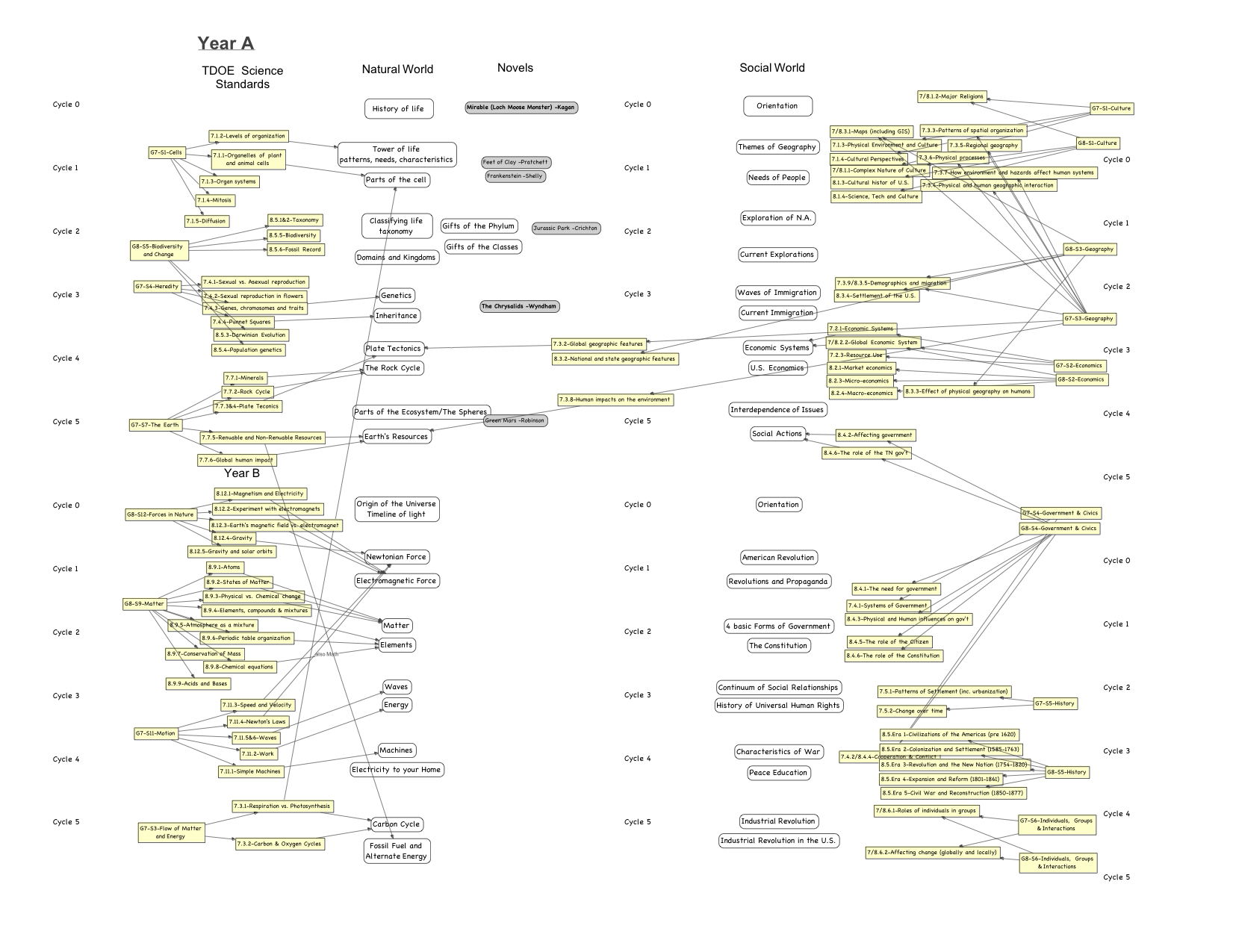
above: scope and sequence example

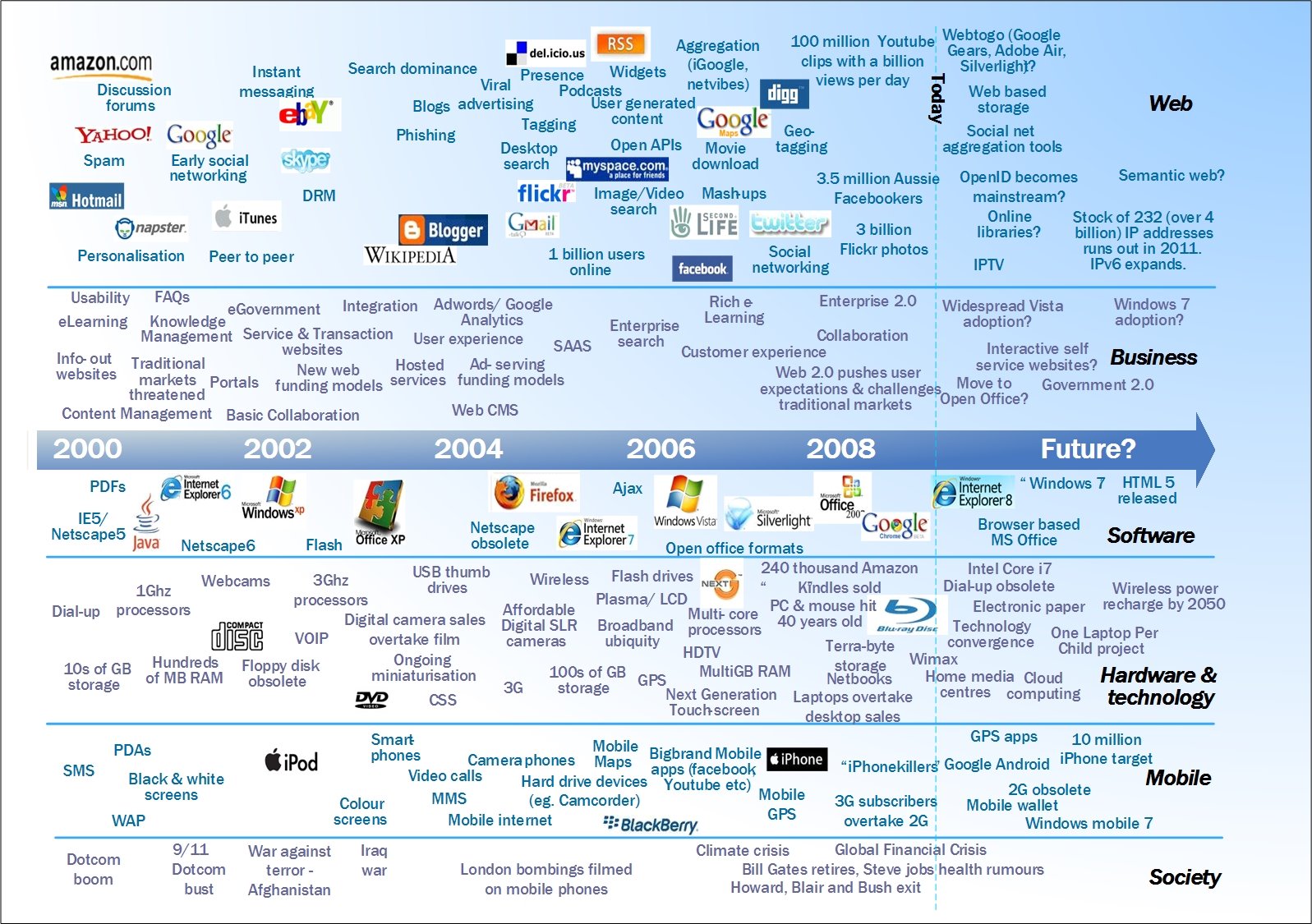
above: technology timeline

How can both general pedagogical and content-specific technologies be utilized effectively throughout a course?

"Technological Pedagogical knowledge is knowledge of the existence, components and capabilities of various technologies as they are used in teaching and learning settings, and conversely, knowing how teaching might change as the result of using particular technologies. This might include an understanding that a range of tools exist for a particular task, the ability to choose a tool based on its fitness, strategies for using the tool’s affordances, and knowledge of pedagogical strategies and the ability to apply those strategies for use of technologies. This would include knowledge of tools for maintaining class records, attendance and grading, as well as knowledge of generic technology-based ideas such as WebQuests, discussion boards and chat rooms." -- Matthew Koehler

Source: http://mkoehler.educ.msu.edu/tpack/technological-pedagogical-knowledge-tpk/


The example above shows a content-specific technology that can be used for teaching air pressure. The tool is a digital barometer.  Fourth grade learns about the water cycle and weather.  Typically, technology is not available for these lessons.  Yet, I think about how important these technologies can be to student's learning when integrated into the content correctly.  Student's will be much more engaged in lessons and have effective experience in it.

Wednesday, February 4, 2015

Blog #4 Educational Technology/TPACK

What is the difference between technology in education and educational technology?

The following definitions come from the International Technology and Engineering Educators Association.
  • "Technology Education is also called the Study of Technology or Technological Studies.
  • Technology Education teaches about technology as an educational area of content.
  • Educational Technology is mainly concerned with the narrow spectrum of technologies used for communication and the dissemination of information.
  • Educational Technology teaches through technology, instructing students in the use of a relatively small set of tools developed by technology." (see link below for full text).
Definition of Educational Technology vs. Technology in Education

(Above) I have posted a collage of pictures I used in my Ed Tech class.  This assignment was to take pictures of ours and make them into a collage.  This educational technology can be used in various ways.  Students can gather pictures for various subjects as science and history. This assignment was created by on of UVU's technology education courses for students becoming educators in K-12.

The above example shows that technology in education are courses provided for finding the what and how of integrating technology into curriculum.  The educational technology is the tool taught in educational courses for specific outcomes.  I may have students use PowerPoint as a water cycle retell, this is an educational technology.  As a professional in my school, I may teach my peers how PowerPoint may be used to teach students a desired academic content.

What is TPACK and how does it help us better understand the role and impact of technology?


TPACK stands for Technological Pedagogical Content Knowledge.  This awesome graphic was created by Public Schools of North Carolina.  It represents three important areas of teaching that together can be used to reach out to students educational needs.

Technology - This section of TPACK represents all educational technology tools that can be combined with...
Pedagogy - How a teacher chooses to teach the specific...
Content... information students need to learn.

A good example of this may be that a teacher splits students into four groups for a history lesson on the Civil War.  Each group is given an Ipad to research a specific time period of the Civil War.  Each student becomes an expert on the subject, creates a presentation on the Ipad, and then teaches this information to other students.  

Wednesday, January 28, 2015

Blog #3 History of Tech in Education


How has technology been used in education? 

The technology timeline in education has been historically slow to progress.  As Suzy showed us in class, the boom of technology didn't happen until the last twentyish years ago.  What we've seen in this recent time period is the introduction to multimedia programs and technologies like the DVD player.  A lot of the technology my teachers used were tiny little TV's that we watched VHS films on and overhead projectors that probably took the teacher forever to create.  As I teach, I use my Smart Board and the internet to come up with educational resources.  Often, Ipads and Neos are integrated into my classroom but are still limited.

While technology is slow to progress in education, it seems that most of my day revolves around it.  I use my Smart Board to teach math and my math book is projected onto the board through the internet.  My objectives, daily expectations, and books are even displayed online. Teachers now have internet sites that parents and students can pull resources from.   One of the many great opportunities with technology is to take kids to the computer lab.  There are so many online resources and programs for teaching. The computer lab, aka the Testing Chamber, is often used to over test my students again and again.  In fact, recent made up studies say that children really like to be tested week after week and find the many hours of questions that are mostly, not developmentally age appropriate, fun and engaging--said no sane person ever.

How should it be used in the future?

Technology should be used with the greatest of hope for advancements in education.  Like all new ideas, the research opportunities are at the forefront of great academic changes.  Much of the research has led us to see that technology helps increase academic scores as compared to the control group without technology integration.  Yet, there is a caution to it.  Just as a medical patient must take the correct medicine, technology needs to be created and centered around the outcome.  The right technological intervention must be teacher guided.  Technology cannot replace the teacher as the teacher is the center of guidance for the students overall academic and emotional well-being at school.